Showing posts with label iPhone. Show all posts

Monday, April 23, 2012

Lego Super Hero Movie Maker


This Lego app - the Super Hero Movie Maker -  uses stop motion to record movies.  This app is simple to use and it takes no time to create a movie.  It works well on all iDevices and best of all it is free.

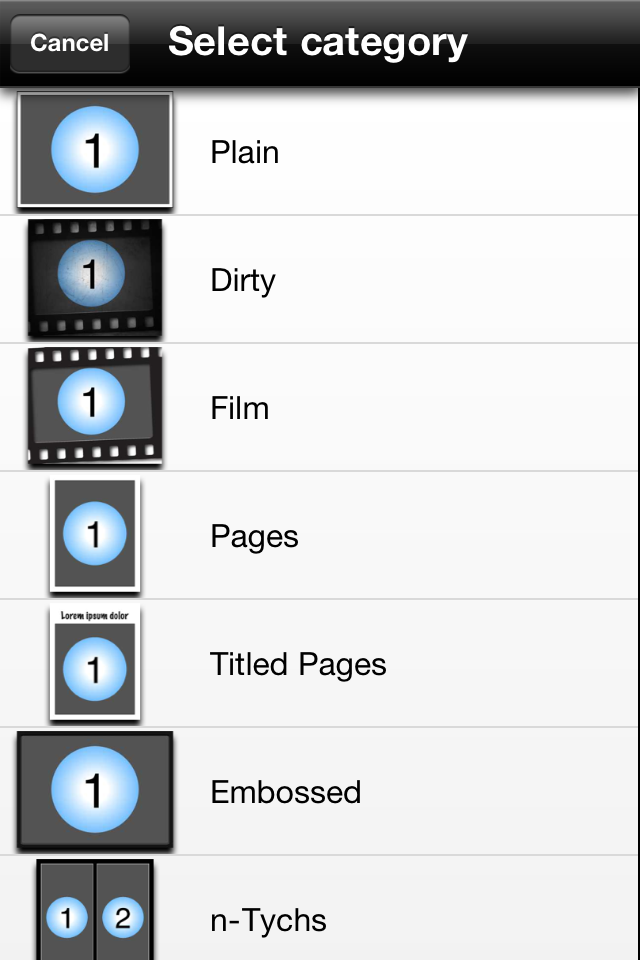
Users can select from a range of title pages, soundtracks and filters, all with a super hero theme.

Check out a quick movie made in less than two minutes by one of my children (I am sure the storyline will get better with practice :-)


YouTube Video

Postnote:  After making the original movie above and showing it to others , adiscussion was had about clarity of photos and the need for the story to flow with two children working together for the next version .......... will be interesting to see where this develops.

Also check out the animation from Room 7 at Normandale School where they have started using the Lego Super Hero Movie Maker.

- Posted using BlogPress from my iPad
Location:Lego Movie

Wednesday, March 7, 2012

Pic collage

Pic collage is a free app that makes it easy to turn your photos into a collage which can be shared via email, Facebook or twitter.  Photos can either be taken using the iPad or iPhone Camera, or imported from the media library.  Once photos on the the screen, they can be edited, clipped, resized, moved around, set as the background or rotated.  A range of options include selecting from a range of backgrounds, adding text and stickers.  The photos can be moved in front or behind other photos with just a simple tap.  This is a great app that is easy to use for all ages.  Download and give it a try today.


- Posted using BlogPress from my iPad

Monday, March 5, 2012

Radio NZ

One of my colleagues, Justine Mason, shared this fab free app with me today. The Radio NZ app not only lets you listen to Radio NZ programmes live, it allows you to select and listen to content from previous shows. If you miss an inteview or report, add it to your playlist and listen when the time is convenient.

The app works on iPad, iPhone and iTouch.


-


Posted using BlogPress from my iPad

Tuesday, January 24, 2012

Scrabble Anyone?

I love a good board game over summer with the family:-) My children are now teenagers and it is much harder to entice them into playing with me! At the end of last year a friend of mine was playing scrabble, on his iPhone, against his partner who was then living in Australia. This intrigued me, how cool that they could play a game together from different countries! Since then, I have utilised good old google and you tube to find out more! I am yet to get together with my family to give it a try and look forward to a weekend at the beach over Waitangi weekend to entice them. I am also going to introduce this concept to the teachers at Whangarei Primary and suggest children in different classes trial playing games of scrabble together:-) Would love to hear from anyone who has tried scrabble on the iPad/iPod out:-)

Tuesday, November 22, 2011

Strip Design for Storytelling

I have been using Strip Design with the children at Whangarei Primary both on iPod touches and iPads.  This has proved a very successful tool for sharing digital photos.  The junior children have explored this app by taking their own photos around the school, adding them to strip design and writing small captions with some of the photos.  The senior children are flying as they add frames, text, colour and different effects to personalise their story.  Endless opportunties for creativity in their storytelling.  Here are a few step by step guides to using Strip Design...

Step 1 - Choose your style

Step 2 - Choose your template and number of photos you wish to add

Step 3 - Click on add your photos
Step 4 - Choose photos from photo album, facebook etc or use the camera to take as you go 
Step 5 - Have a play with your photos - add frames etc

An example of adding, changing style and colour of frame

Step 6 - Once you have your frames sorted you are able to choose text etc for title and words

An example of adding title - simply double click on words to change them - easy as:-) 
Step 7 - When done click Share

From here to can email or save to Photo Album

You are also able to open as PDF and if you scroll down... share via facebook/flickr and twitter

My very basic finished product!  Thanks to my Oxfam Adventure Angels team for sharing photos:-)


Sunday, November 13, 2011

Geared

Geared is a puzzle game where players need to connect cogs together to have the gears turn.  Each level has a turning cog, and and end point with pieces that need to be added so all the cogs turn.  The levels progress as you go.


Friday, November 11, 2011

QR Reader

I have been doing some work with QR Codes and have tried out many different apps to find a reader that works well and can also create codes as well.

I have found QR Reader to be an effective app because it scans and reads codes quickly, can read in many different types of light and angles and keeps a history of the codes that have been read.  As well as a reader, QR Reader is also a code creator as well enabling users to create text, web, contact code, sms or geo location codes.  Once created, the QR Codes can be shared using email, twitter facebook and more.


Tuesday, November 1, 2011

Engaging Writers with Comic Strip

Designed for both iPad/ iPod touch and iPhone, I really like how easy Comic Strip is to use. Very similar to 'Comic Life' but less cluttered. Really easy to create, quickly upload photos from your camera roll OR take photos as you go. Ability to add text bubbles to each photo. Able to save as a JPEG image or share instantly on Facebook or Twitter. I can imagine children creating their stories 'on the go' and being able to save their JPEG image straight to their ePortfolio via iPod touch or iPad.

Simply click on the plus to add a photo or take a photo.

Click on the small arrow to change template and add captions.

Finished product ready to save or share:-)

Click on the small arrow again to save, publish or share.


Wednesday, September 7, 2011

Keynote Remote

Keynote Remote is an app that works as a remote from your iPhone, iPod Touch or iPad (although an iPad is a bit awkard to use as a remote during a presentation!).  From this app, you have control of your presentation and can advance, reverse or preview slides.  You can also view your slide notes, if you need to quickly view these.  It is a pretty handy remote control and saves you manually advancing slides as you present.


I did have some inconsistency with the wireless connection not always working in the first version of this app but later versions have fixed this.  As long as I have wi-fi access when presenting, I use Keynote Remote.


Keynote

I  facilitate a number of presentations, both conference presentation and workshops, and I use Keynote to develop my slides.  So, I was keen when Keynote became available on the app store.  Keynote enables users preapre, edit and share presentations on the iPhone, iPod touch or iPad. While I generally always prepare my presentations on my Mac, the Keynote app does give me flexibility when travelling if I choose to take one of my smaller devices.


Presentations can be uploaded to Keynote on any of your iDevice through iTunes.  Sync your device, select Apps, scroll down to the list of Apps, then select Keynote and Add.  You can then upload your presentation.


Guitar Tuner

EasyTune makes tuning guitars easy, automatically detects the string being tuned.  Children are easily able to tune guitars themselves.  A great app for the classroom or for the home musician.


Welly Walks

The Welly Walks app is a great guide to walks around Wellington.  The app provides information on Wellington including the 'must sees' to visit, what is on while you are in town and links to emergency services and public transport.

It also provides detailed walking guides around Wellington, noting points of interest and things to do, maps and walking time.  A must for the next time you are in Wellington on a fine day!


A fun app


My family and I have had some fun with this app from over the holidays. My two boys are Star Wars mad and have enjoyed playing with light sabre which works on both the iPhone and iPod Touch.  The sound effects are great and they have been able to 'battle' each other through peer-to-peer bluetooth connectivity.  Check it out at the App Store